前四期测的都是文字模型。这一期换成图像模型:Qwen Image 2.1,Qwen 团队 9 月开源的权重,一个 7B 模型同时能文生图和改图。我想知道两件事:它在我的 Mac 上跑得动吗?出来的图好不好?
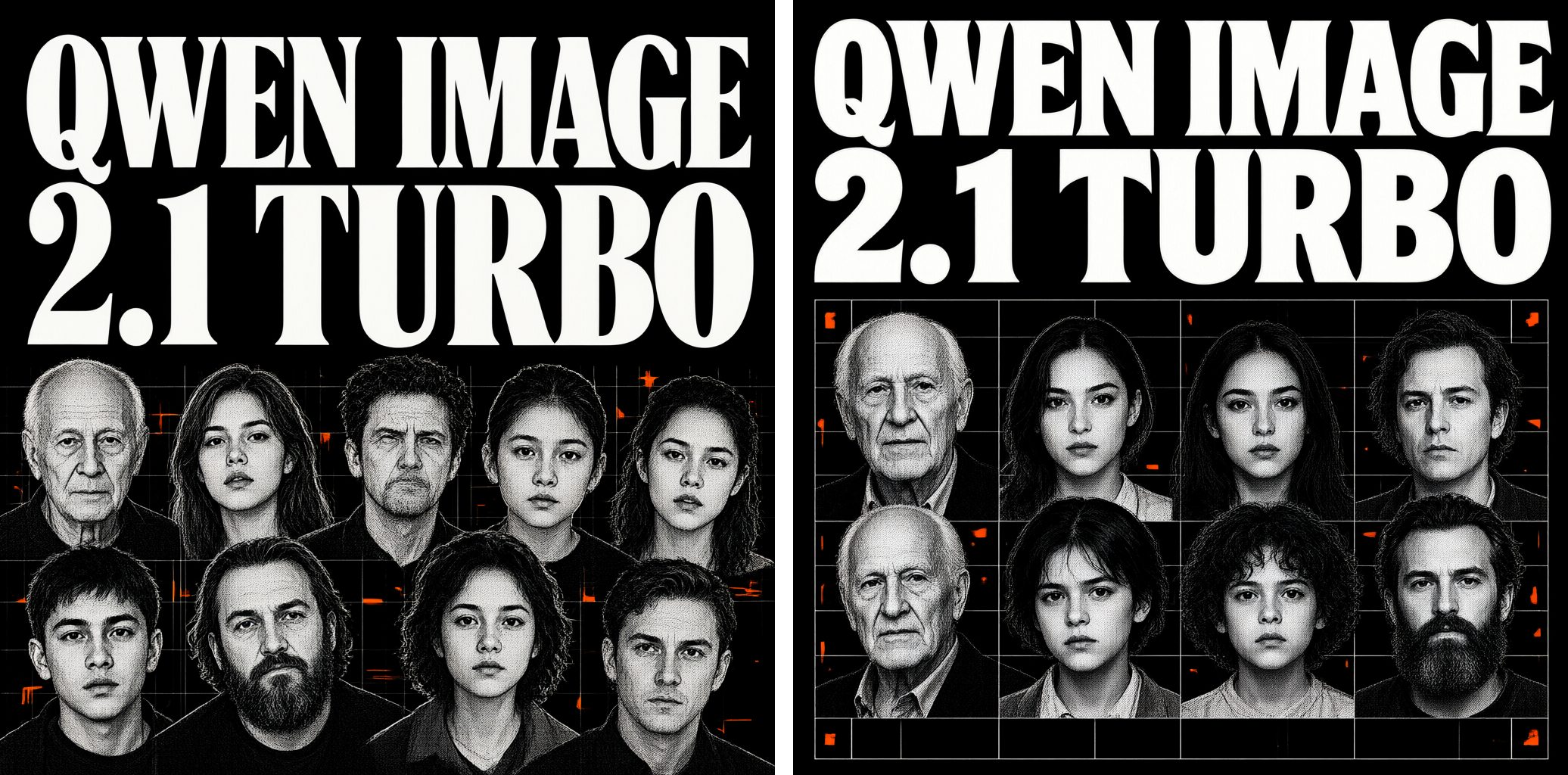
先说结论:跑得动,1024×1024 一张大约 40 秒,但质量参差不齐。产品图是这次最好的。海报标题和菜单上的字都拼对了,但黑板菜单干净得不像真的;信息图连自己的标题都拼错了,条形的长度也和数字对不上。
实验设置
- 机器:还是那台 48GB 内存的 Apple Silicon Mac(M5 Pro)。
- 软件:ComfyUI 0.40.0,通过 Comfy Desktop 安装,用 Mac 的 GPU 跑。
- 模型文件:用的是 Comfy-Org 重新打包的权重:Turbo 模型 bf16(13.3GB)、Qwen3-VL 8B 文本编码器 int8(8.7GB)、VAE(0.6GB),一共要下载约 23GB。
- 参数:官方的 Turbo 设置,8 步、cfg 1、euler 采样器。可选的提示词增强模型(另外 8.8GB)没开。
- Prompt:8 类,全部用英文。每个 prompt 用不同的随机种子渲染 2 次,2K 那一类只渲染 1 次。分辨率是 1024×1024,街拍是 1216×832。完整的 prompt 放在文末。
- 打分:每个 prompt 的两张图放在一起看,给这个 prompt 打一个 1 到 5 分,纯粹是我的主观感受。另外,我把每张图都对照 prompt 逐项检查了一遍:字拼对没有,要求的东西有没有都画出来。
速度和内存
| 耗时 | |
|---|---|
| 启动 ComfyUI 后的第一张 | 130 秒,大部分时间在从外接硬盘加载模型 |
| 之后每张 1024 的图 | 36–46 秒(8 步采样约 27 秒) |
| 一张原生 2048×2048 | 246 秒 |
内存方面,48GB 的机器上,1024 时峰值 33GB,跑过 2K 之后峰值 36GB。模型加载好、什么都不跑的时候,ComfyUI 占 26–28GB。
我的评分
| Prompt | 分数 | 我的看法 |
|---|---|---|
| 海报标题 | 4 | 整体质量很好,人脸清楚,字体和排版也好看。 |
| 黑板菜单 | 2 | 字很清楚,但画面不够真实。就是因为太工整了,一看就是 AI 做的。 |
| 带标签的信息图 | 2 | 当一张好看的宣传配图还行,但很多条形的长度和上面标的数字对不上。 |
| 街拍(人物、手) | 3 | 大部分都还行。第 2 张里老奶奶的左手边多了一把勺子,有点出戏。招牌上的汉字是假的,好在看不清。 |
| 产品摄影 | 5 | 细节很好。 |
| 扁平插画 | 4 | |
| 透明背景 | 3 | 第 2 张机械臂抓苹果的动作不够自然。 |
| 原生 2K | 4 |
平均 3.4 分(满分 5 分)。
文字:拼得对,但不一定像真的
开头那张海报要求两行标题「QWEN IMAGE / 2.1 TURBO」,下面是一堆网点人像。两张都拼对了,prompt 里要的老人、年轻女性、小孩、大胡子男人也都有。第 2 张把人像排成了整齐的网格,没有按我说的「散落、互相重叠」。
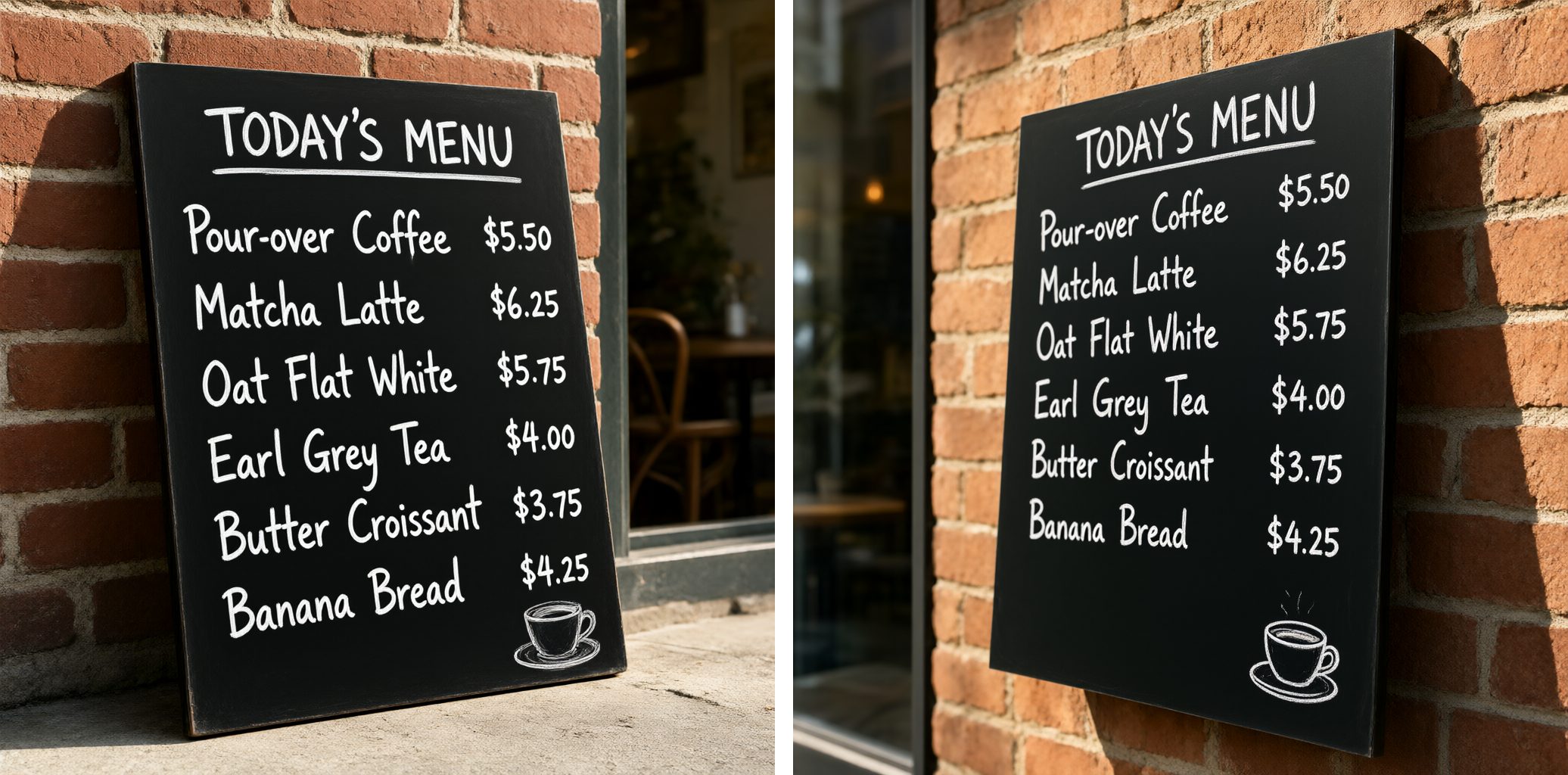
黑板上有一行标题和 6 行菜名加价格。两张图里每个词、每个价格都是对的,这一点让我挺意外。但问题也在这里:真人写的粉笔字不可能这么整齐,看起来像字体,不像人写的。第 2 张还把黑板挂到了墙上,不是 prompt 说的靠在墙边。
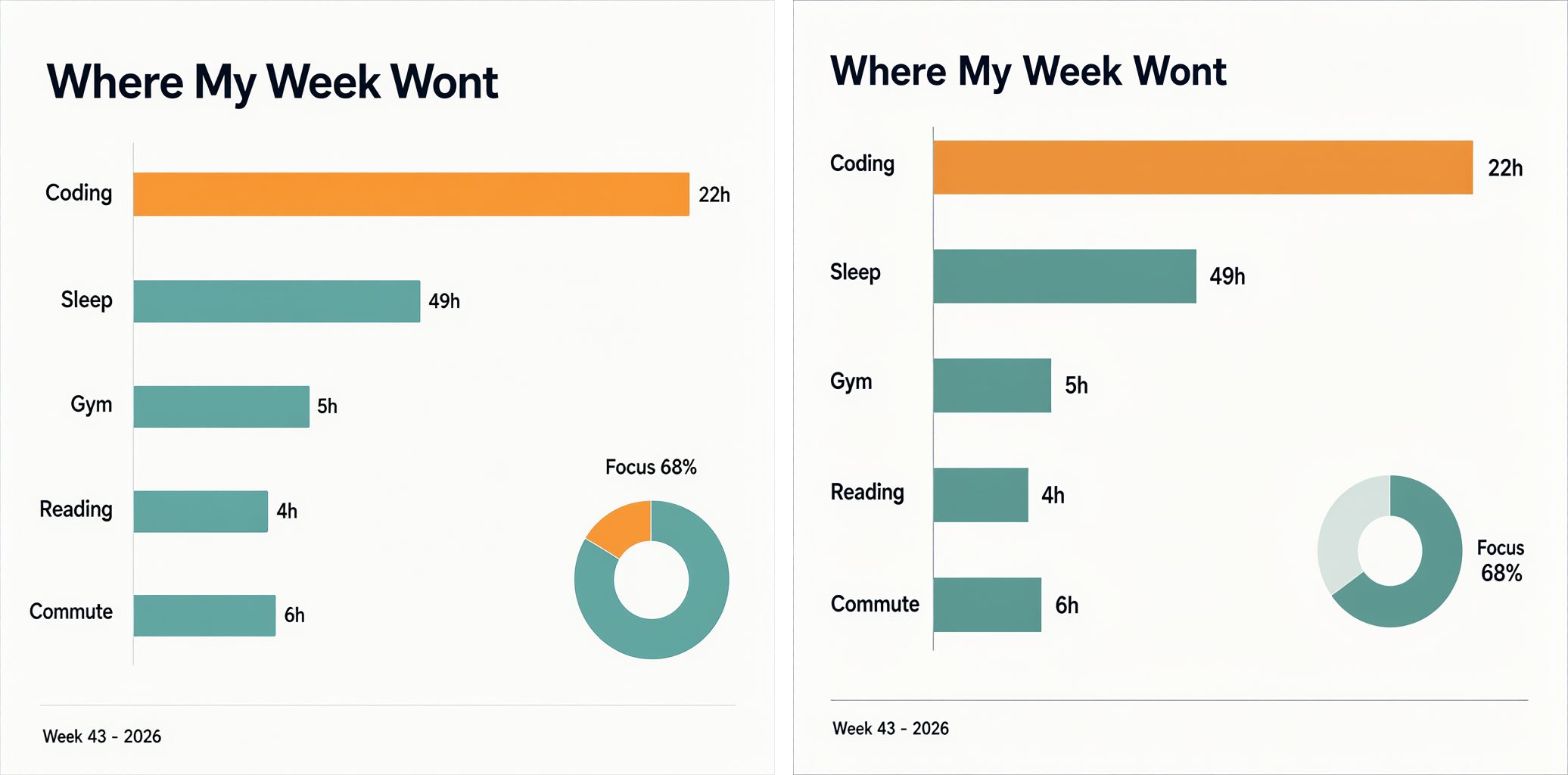
这一类问题最大。两张的标题都拼成了「Where My Week Wont」。标签和页脚都对,但条形不按数字画:22 小时的 Coding 最长,大约是 49 小时的 Sleep 的两倍;5 小时的 Gym 比 6 小时的 Commute 还长。橙色高亮给了 Coding,而不是数字最大的那一项。第 1 张的「Focus 68%」圆环只填了大约六分之一。看起来像一张图表,但说的不是数字说的事。
照片
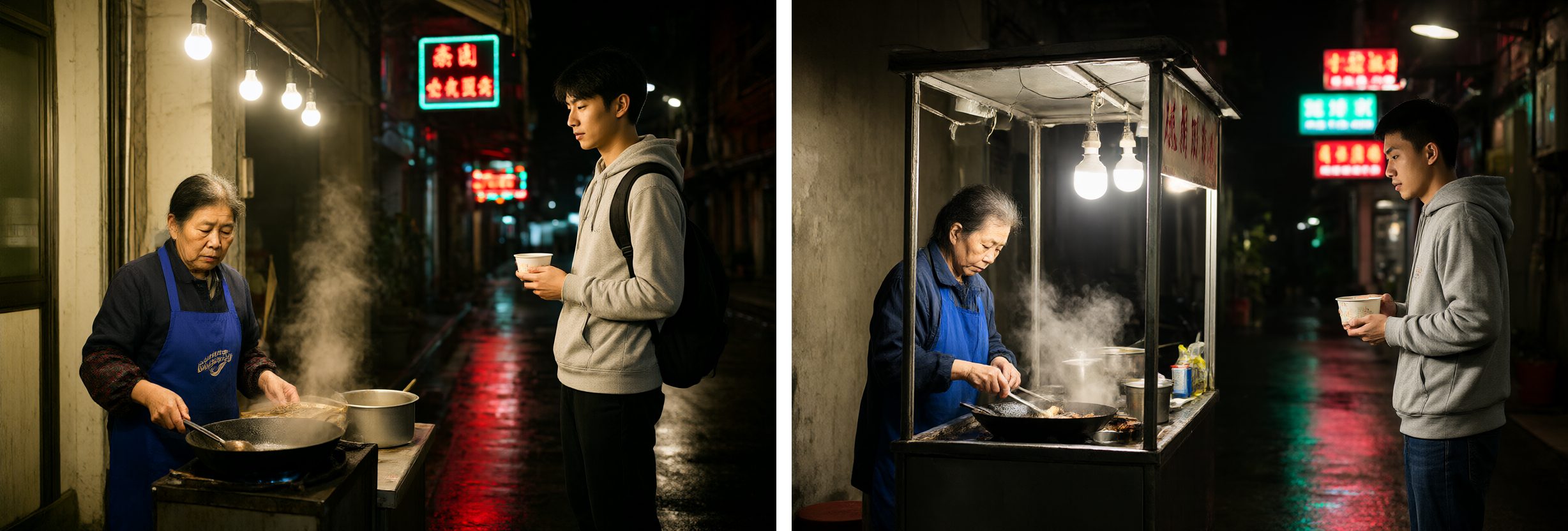
雨后台北小巷里的夜市摊,画面里有两个人。我把每只手都放大看了,手指数量和握姿都很自然。第 2 张里年轻人按 prompt 的要求双手捧着碗;第 1 张的碗变成了纸杯。第 2 张出戏的地方在老奶奶的左手边:锅里多了一把勺子,柄不知道连到哪里。
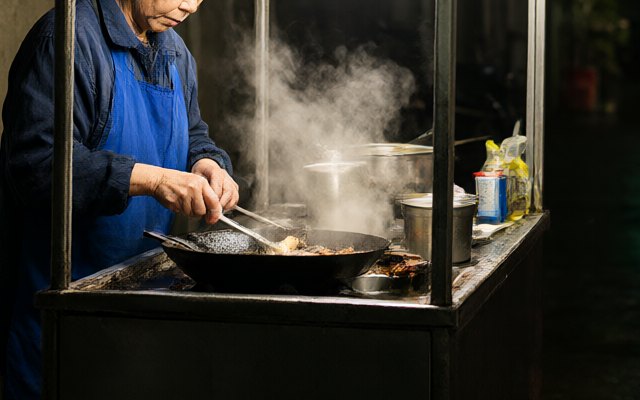
霓虹招牌上是编出来的汉字。prompt 要的是模糊、看不清的招牌,好在确实看不清。
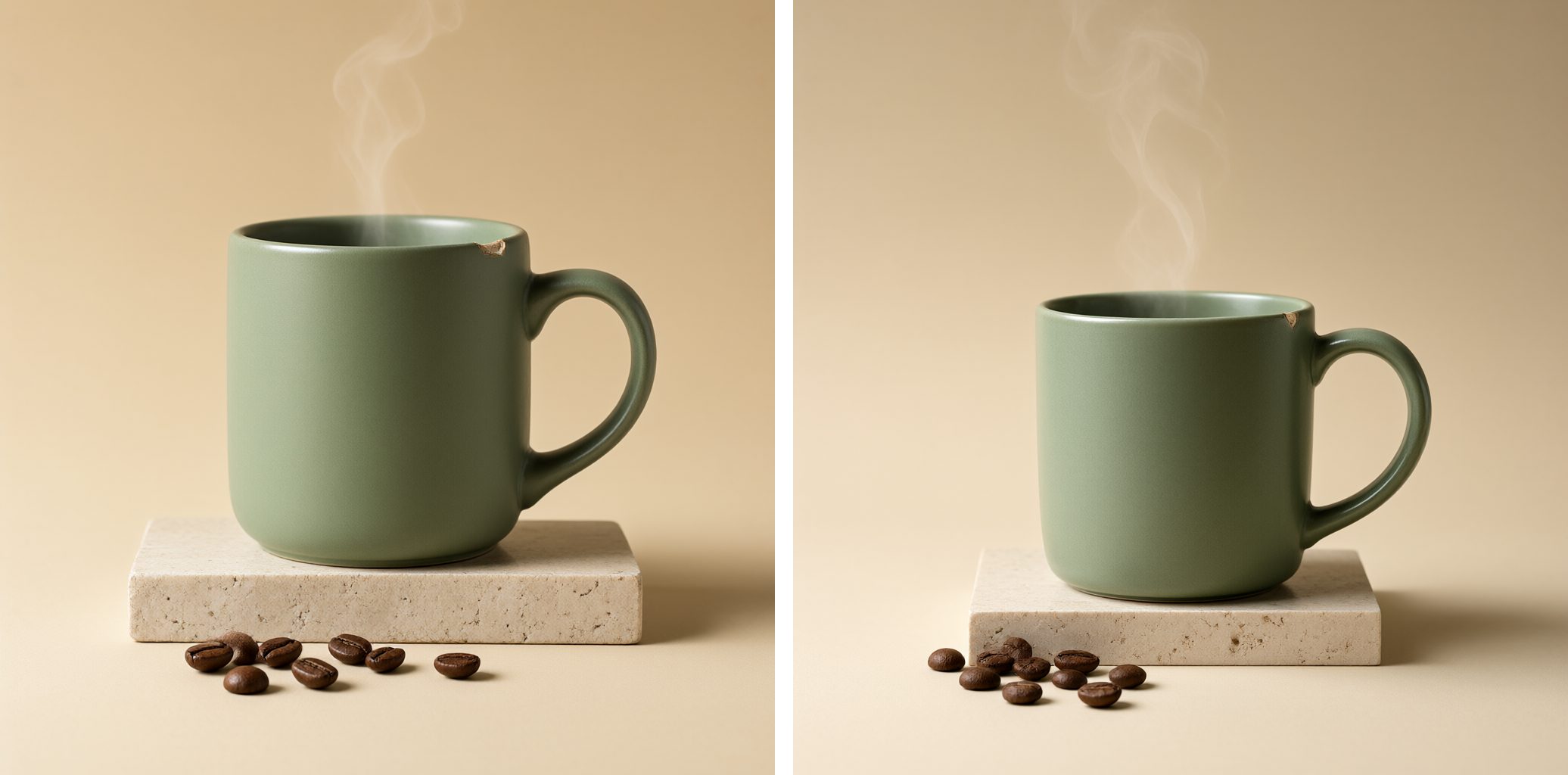
产品图是这次最好的。洞石上放一个哑光绿杯子,要有热气、咖啡豆、左上方的柔光,杯沿还要有一个小缺口。两张图把这些细节全画出来了,连缺口都有。
插画和透明 PNG
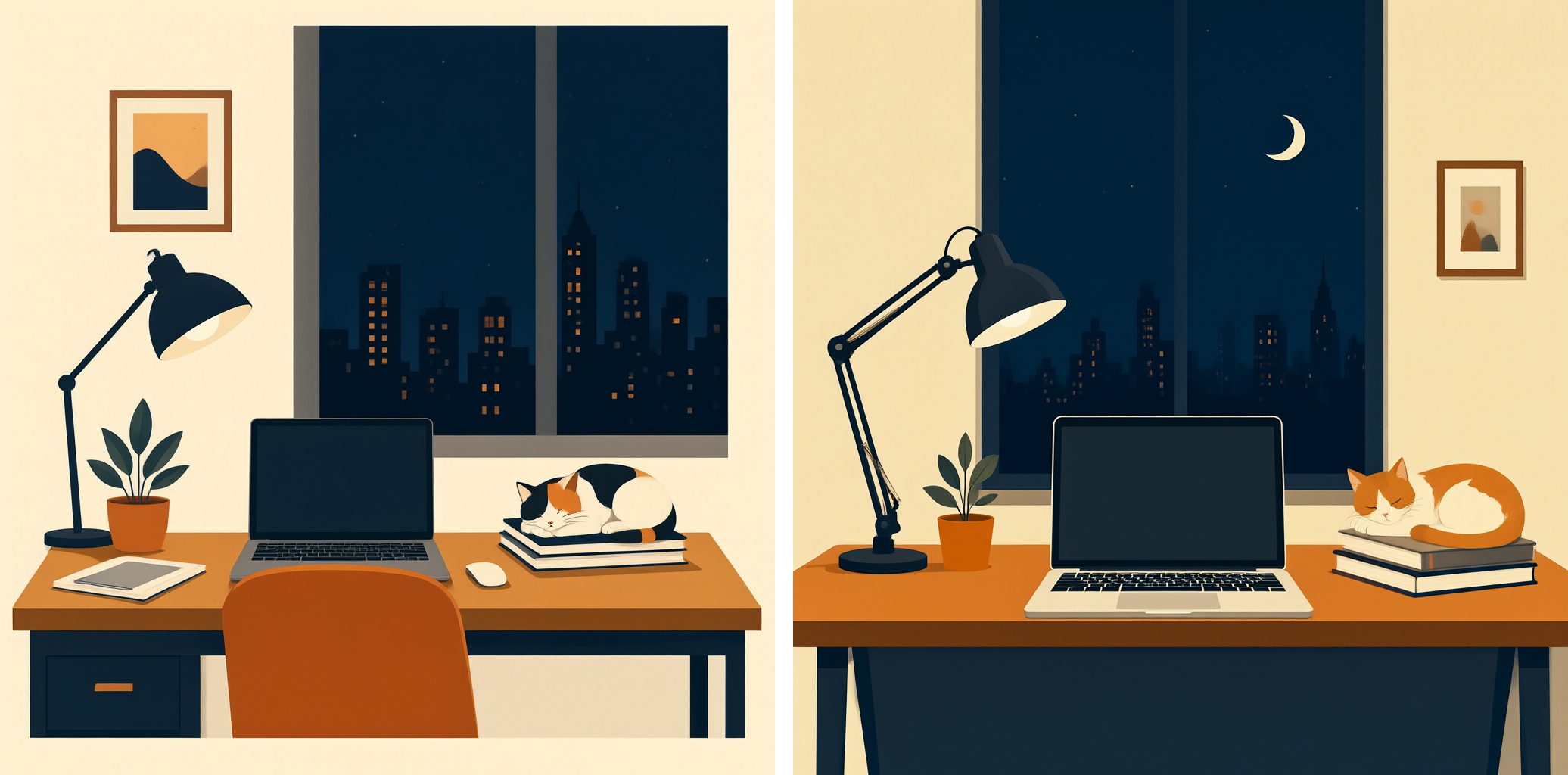
夜晚窗边的书桌:电脑、台灯、绿植、睡在书上的猫、窗外的城市,配色是深蓝、橙和米白。prompt 里的东西全都有。第 2 张的台灯杆上有一小团说不清是什么的东西。
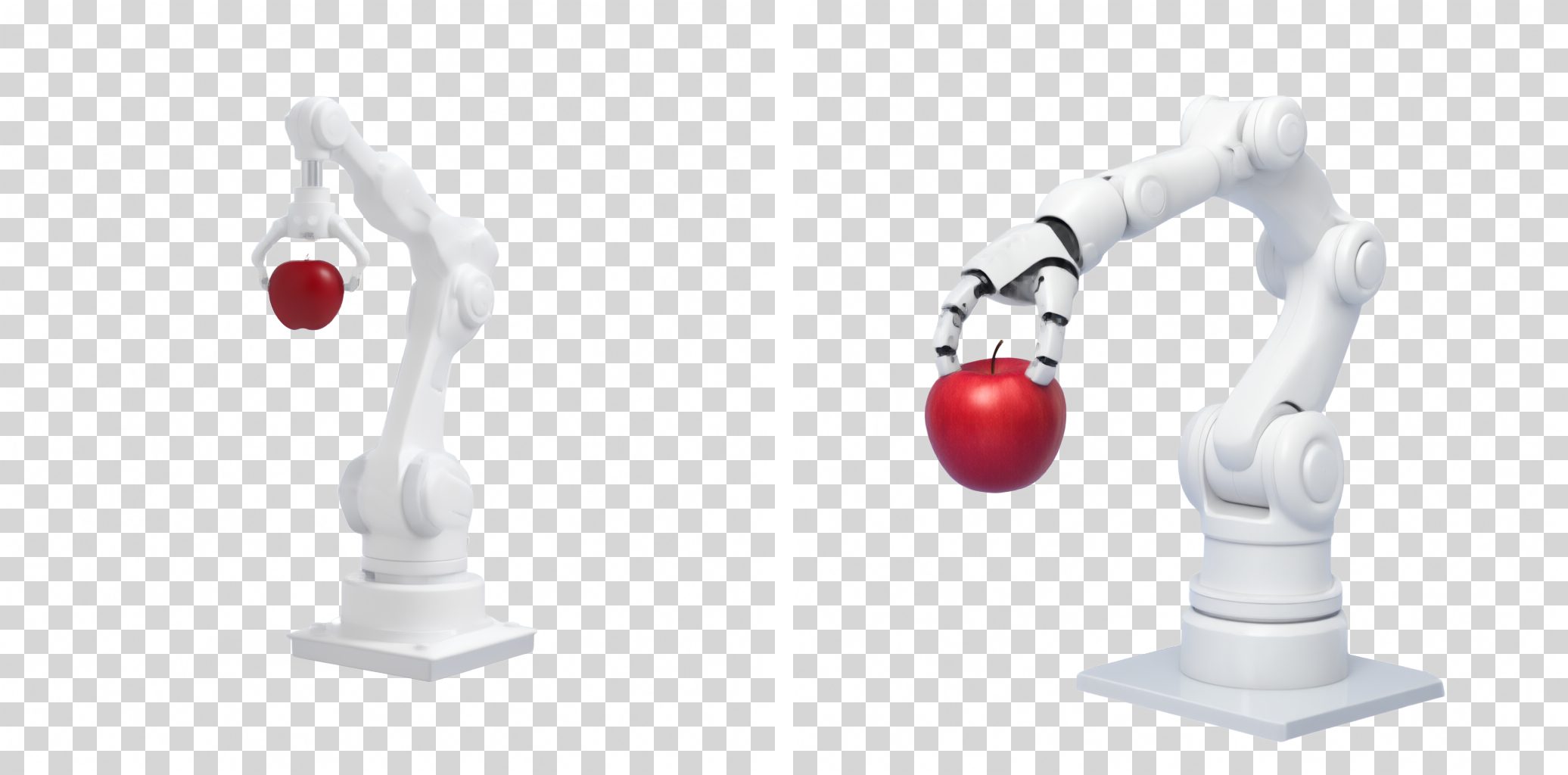
Qwen Image 2.1 可以直接出带真正透明通道的 PNG,只要把 prompt 套进一句固定的话(「This is an RGBA format image with transparency…」)。实测有效:背景 78% 到 88% 的像素完全透明,半透明的边缘像素只有约 1%,所以没有灰边。上面的图铺在棋盘格上,方便看出来。弱点在内容上:第 2 张机械手抓苹果的动作不够自然。
原生 2K
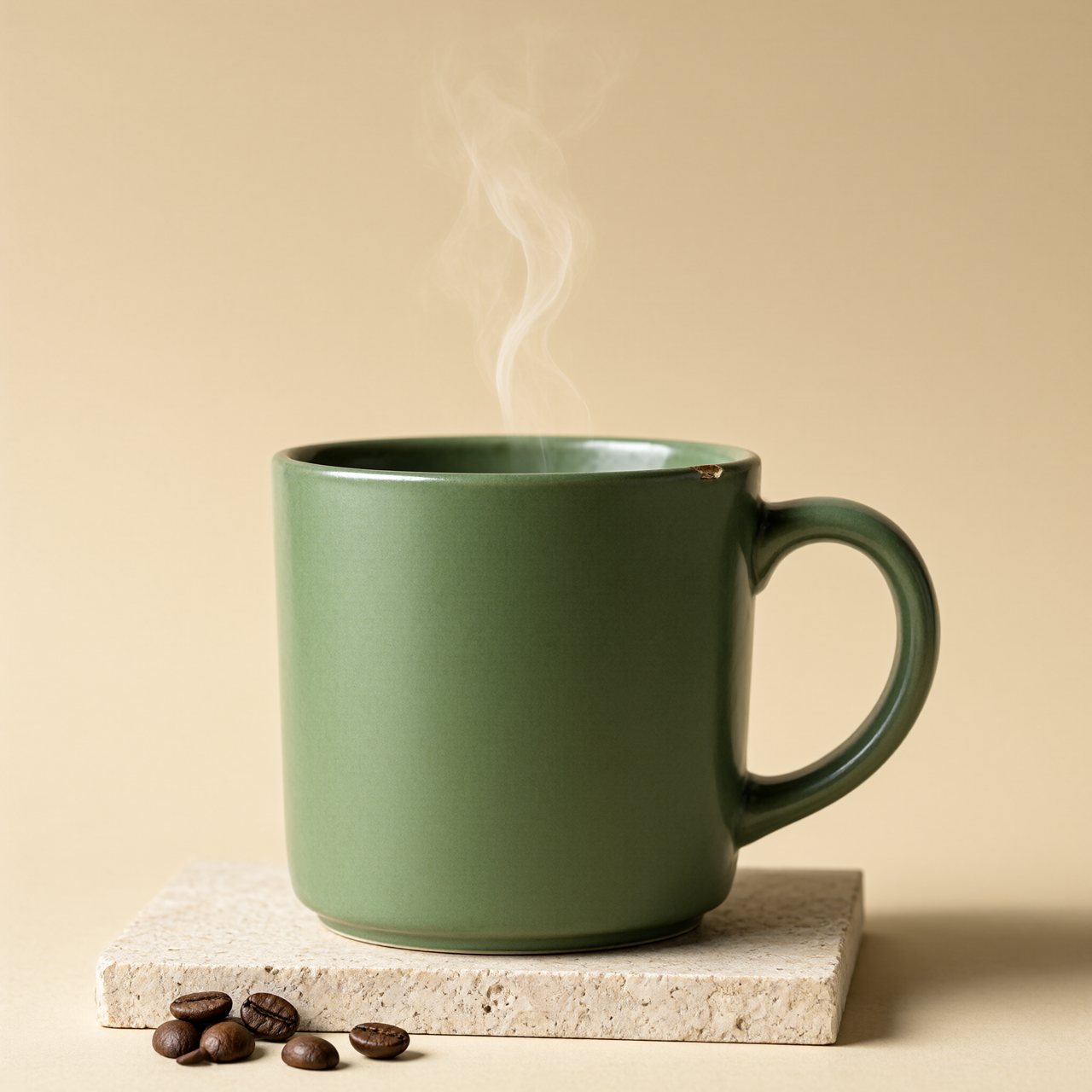
这个模型可以直接出 2048×2048,不用放大。一张用了 246 秒,像素是 1024 的 4 倍,时间是大约 5.5 倍。同一个随机种子换了分辨率,构图就变了,所以这是一张新图,不是把 1024 那张放大。
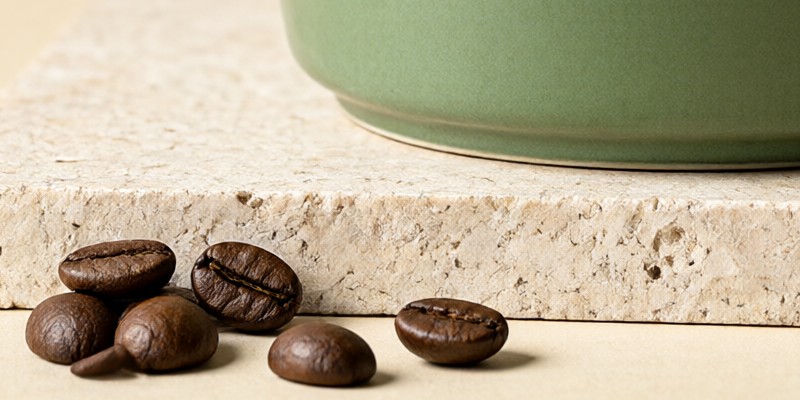
放大到 100%,石头上的孔洞、咖啡豆的纹路、杯底都很清楚。左边有一颗豆子多出了一小截。
我的结论
- 在 48GB 的 Mac 上很实用。一张 40 秒左右,来回改 prompt 不难受,内存也离上限很远。
- 产品图和海报是它的强项。光线干净,我要求的细节都画到了,标题也拼得对。
- 字拼对了也可能很假。菜单一个字母都没错,看起来还是很 AI。
- 别拿它画图表。信息图看着像图表,条形却不按数字来。真实数据还是用画图工具。
- 手和小物件要检查。手指没问题,多出来的勺子才是问题。
局限
我只测了 Turbo 模型(8 步),没测要跑 40 到 50 步的完整版。每个 prompt 渲染 2 次,2K 只有 1 次。分数是我凭眼睛打的。Prompt 全是英文,提示词增强没开,只在一台机器上跑,也没有和云端模型对比。Qwen Image 2.1 用的是 Qwen Research License,只允许非商业用途(研究和评测),商用之前先看清楚许可证。
完整 prompt
8 个 prompt(英文原文)
- 海报标题:Underground techno event poster: black background, a two-line headline in heavy white grotesque capitals where the first line reads "QWEN IMAGE" and the second line reads "2.1 TURBO", both lines the same very large size and each spanning the full poster width edge to edge, stacked tightly one above the other in the upper half, a scattered pile of overlapping black-and-white halftone portrait photos showing a mixed cast of different people, an elderly man, a young woman, a child and a bearded man among them, arranged in two loose rows across the lower half, every face is razor sharp, thin white grid lines, small fluorescent orange accent shapes, two-colour risograph print texture, square 1:1 poster format, spelling exactly correct letter by letter, no other readable words, no watermark
- 黑板菜单:A photograph of a small cafe chalkboard menu leaning against a red brick wall, written in neat white chalk handwriting. The title at the top reads "TODAY'S MENU". Below it six lines read "Pour-over Coffee $5.50", "Matcha Latte $6.25", "Oat Flat White $5.75", "Earl Grey Tea $4.00", "Butter Croissant $3.75" and "Banana Bread $4.25". A small chalk drawing of a coffee cup in the lower right corner. Warm afternoon light, shallow depth of field, every word and price written exactly, no other text
- 信息图:A clean flat infographic card on an off-white background titled "Where My Week Went" in bold dark navy sans-serif at the top. Below it a horizontal bar chart with five labeled bars in this order: "Coding 22h", "Sleep 49h", "Gym 5h", "Reading 4h", "Commute 6h", each bar length proportional to its hours, bars in muted teal with the longest one in warm orange. In the lower right a small donut chart labeled "Focus 68%". A thin footer line reads "Week 43 - 2026". Generous margins, crisp vector style, every label spelled exactly, no other text
- 街拍:A candid night street photograph in a narrow alley in Taipei after rain: an elderly woman in a blue apron cooks at a small food stall under a string of warm bulbs, steam rising from a wok, wet pavement reflecting red and teal neon signs that are blurred and unreadable, a young man in a grey hoodie waits holding a paper bowl with both hands. 35mm documentary style, natural skin texture, slight film grain, no watermark
- 产品摄影:Studio product photograph of a matte sage-green ceramic coffee mug on a pale travertine stone block, a thin wisp of steam rising, a few roasted coffee beans scattered in front, soft diffused light from the upper left with a gentle shadow to the right, warm beige seamless background, crisp focus on the glaze texture and a small chip on the rim, no text, no logo
- 扁平插画:A flat vector illustration in a calm editorial style: a cozy desk by a window at night with a laptop, a desk lamp, a small potted plant, a cat sleeping on a stack of books, and a city skyline outside, limited palette of deep navy, warm orange and cream, clean geometric shapes, subtle paper grain, no text
- 透明背景:This is an RGBA format image with transparency. A small white six-axis robot arm holding a red apple, clean 3D render with soft studio lighting. The image has an alpha channel and a transparent background.
- 原生 2K:和产品摄影同一个 prompt,分辨率 2048×2048。
下一期
这一期的 prompt 是为了覆盖不同类型挑的。下一期我会用自己的 prompt 来测。