The first four episodes were all about text models. This time I tried an image model: Qwen Image 2.1, which the Qwen team released with open weights in September. One 7B model does both text-to-image and editing. I wanted to know two things: does it run well on my Mac, and are the pictures any good?
The short answer: it runs fine, about 40 seconds per 1024×1024 image, and the quality is uneven. The product photo was the best thing I got out of it. Headlines and menu text came out spelled right, but the chalkboard menu looks too clean to be real, and the infographic misspelled its own title and drew bars that don't match their numbers.
The setup
- Machine: the same Apple Silicon Mac (M5 Pro) with 48GB of memory.
- Software: ComfyUI 0.40.0, installed through Comfy Desktop, running on the Mac's GPU.
- Model files: from Comfy-Org's repackaged weights: the Turbo model in bf16 (13.3GB), the Qwen3-VL 8B text encoder in int8 (8.7GB) and the VAE (0.6GB). About 23GB to download.
- Settings: the official Turbo settings, 8 steps, cfg 1, euler sampler. The optional prompt enhancer (another 8.8GB model) was off.
- Prompts: eight categories, all in English. Each prompt was rendered twice with different random seeds; the 2K test was rendered once. Images are 1024×1024, except the street photo at 1216×832. The full prompts are at the end.
- Scoring: I looked at both renders of a prompt together and gave the prompt one score from 1 to 5. That score is just my eye. Separately, I checked every image against its prompt, item by item: is the text spelled right, is everything there that I asked for.
Speed and memory
| Time | |
|---|---|
| First image after starting ComfyUI | 130 s, mostly loading the models from an external drive |
| Every 1024 image after that | 36–46 s (the 8 sampling steps take about 27 s) |
| One native 2048×2048 image | 246 s |
Memory peaked at 33GB at 1024 and 36GB after the 2K run, on a 48GB machine. With the models loaded and nothing running, ComfyUI holds about 26–28GB.
My scores
| Prompt | Score | My take |
|---|---|---|
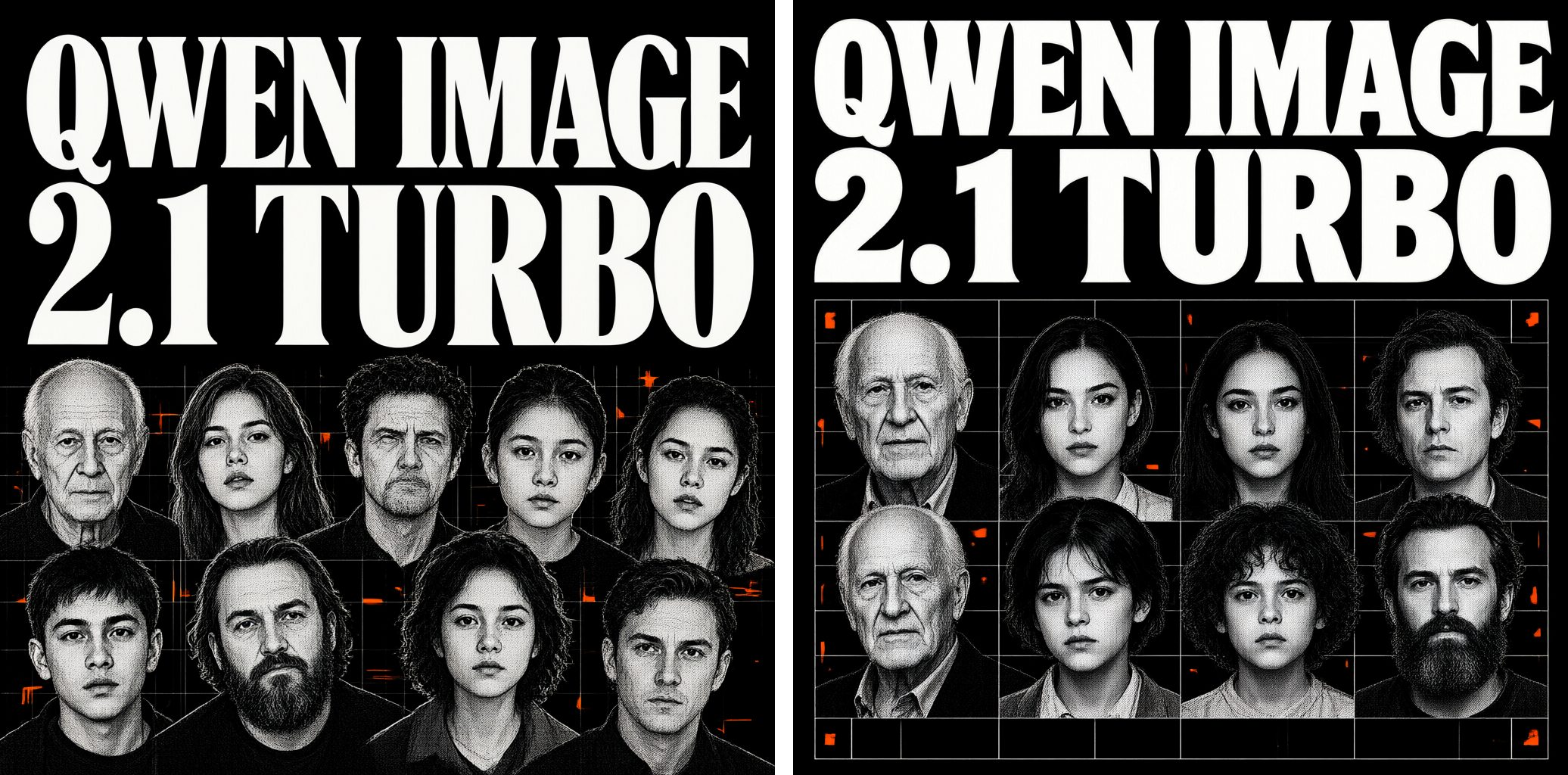
| Poster headline | 4 | Great overall. The faces are sharp, and the type and layout look good. |
| Chalkboard menu | 2 | The text is crisp, but the scene doesn't feel real. That neatness is exactly what makes it look AI. |
| Infographic with labels | 2 | Fine as a polished marketing graphic, but many bars don't match the numbers on them. |
| Street photo, people, hands | 3 | Most of it works. In the second render the grandmother has an extra spoon by her left hand, which breaks the scene. The Chinese characters on the signs are fake, but at least you can't read them. |
| Product photo | 5 | Great detail. |
| Flat illustration | 4 | |
| Transparent background | 3 | In the second render, the way the robot arm grips the apple doesn't look natural. |
| Native 2K | 4 |
Average: 3.4 out of 5.
Text: spelled right, not always believable
The poster at the top asks for a two-line headline, "QWEN IMAGE / 2.1 TURBO", over a pile of halftone portraits. Both renders spelled it right, and the elderly man, young woman, child and bearded man from the prompt are all there. The second render lined the portraits up in a neat grid instead of the scattered, overlapping pile I asked for.
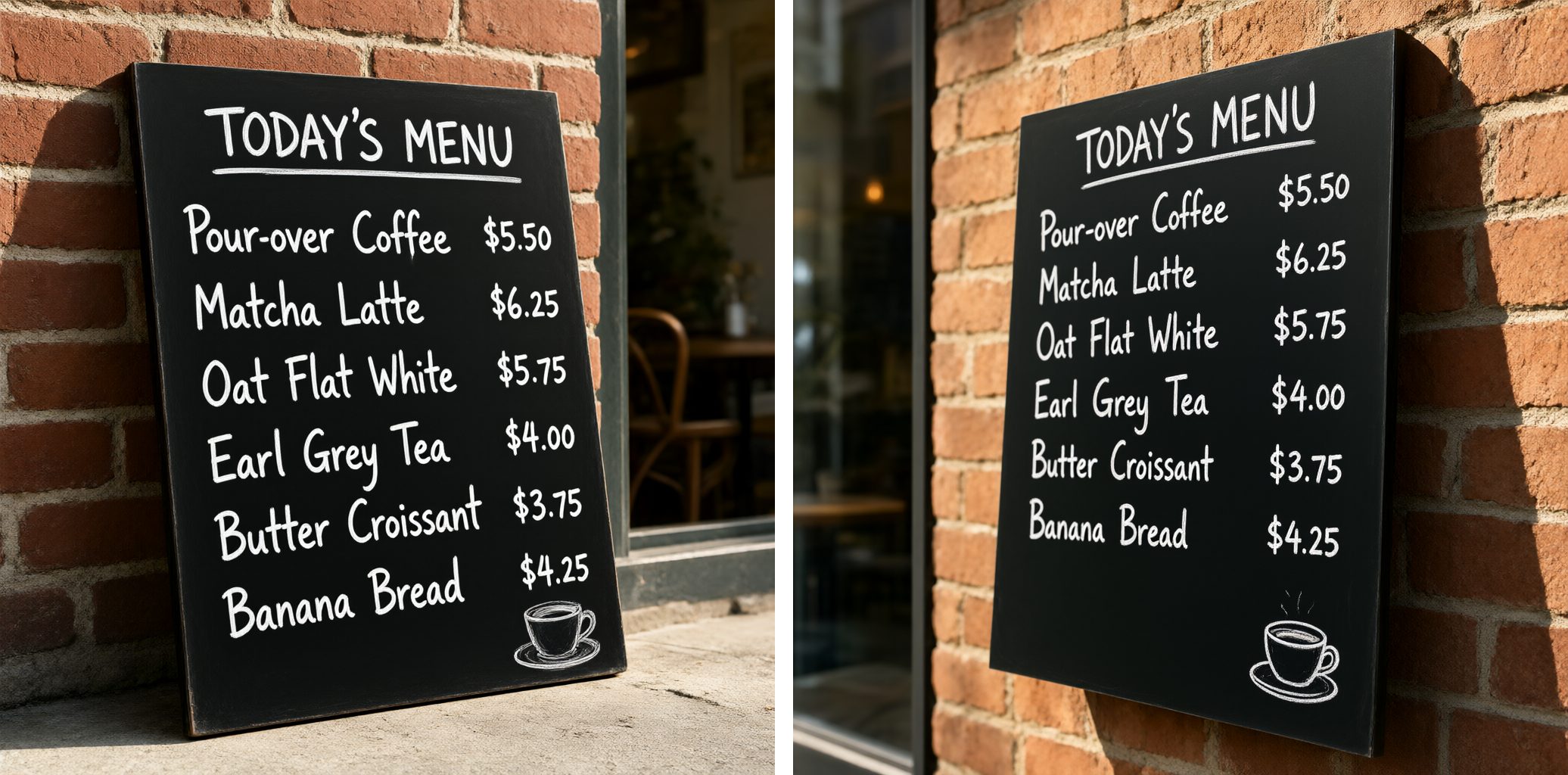
The chalkboard has a title and six lines of items and prices. Every word and every price is right in both renders, which surprised me. That's also the problem: real chalk handwriting is never this even, and the board reads like a font, not like a person wrote it. The second render also hung the board on the wall instead of leaning it against the wall.
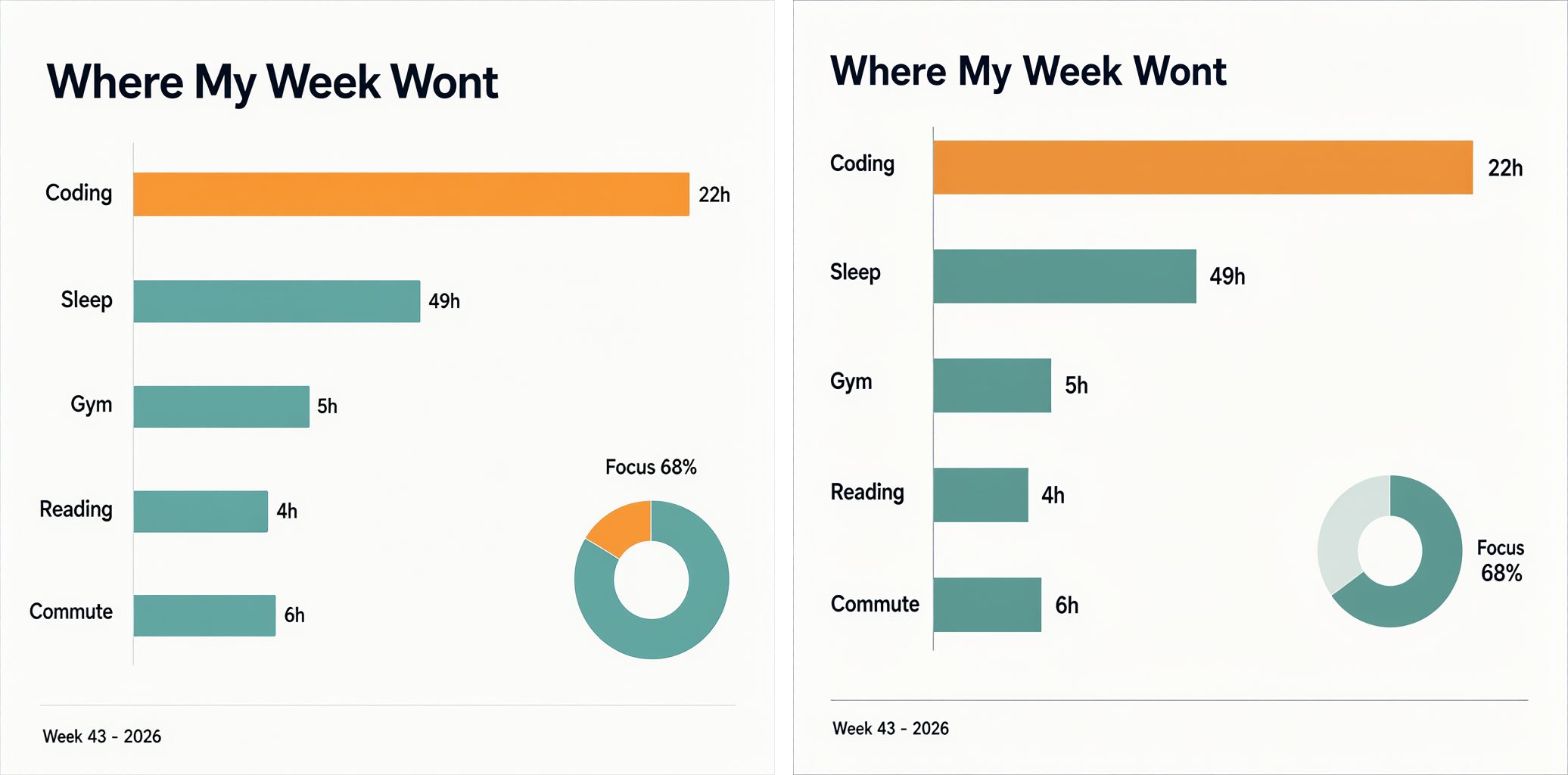
This is where it breaks. Both renders misspell the title as "Where My Week Wont". The labels and the footer are right, but the bars don't follow the numbers: Coding at 22h gets the longest bar, about twice the length of Sleep at 49h, and Gym at 5h is longer than Commute at 6h. The orange highlight went to Coding instead of the biggest number. In the first render, the "Focus 68%" ring is only about one-sixth filled. It looks like a chart, but it doesn't say what the numbers say.
Photos
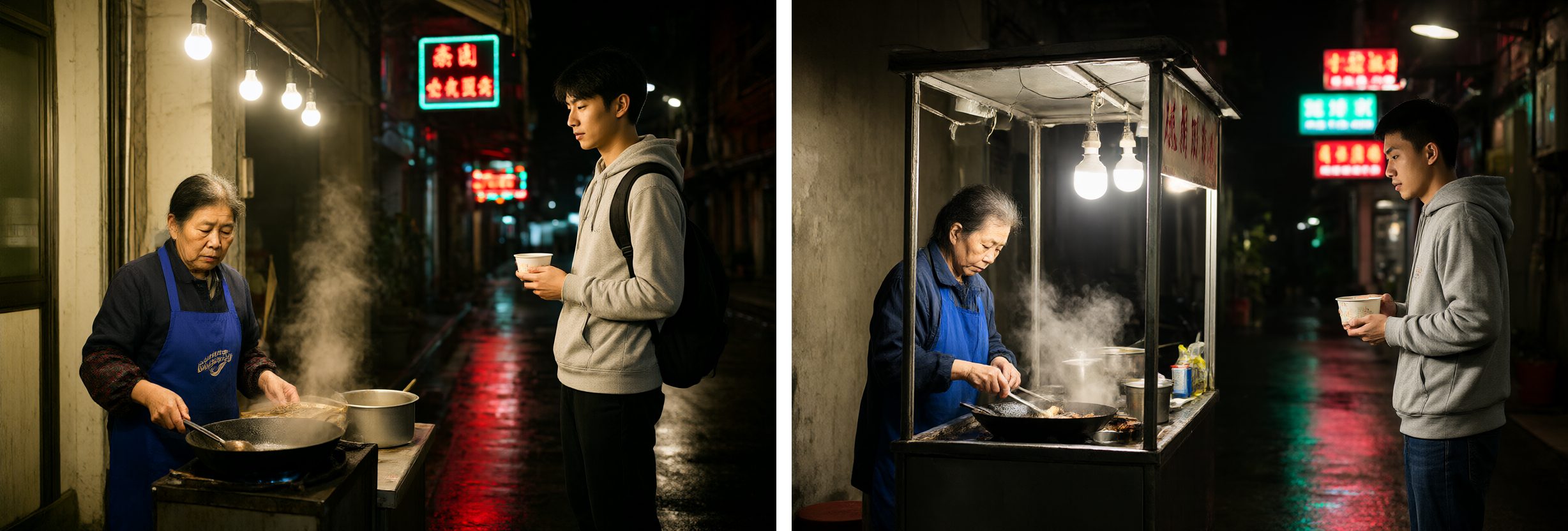
A night food stall in a Taipei alley after rain, with two people in it. I zoomed in on every hand: finger counts and grips look natural. In the second render the young man holds the bowl with both hands, as the prompt asked; in the first, the bowl turned into a paper cup. What breaks the second render is the grandmother's left hand. There's an extra spoon by the wok whose handle doesn't connect to anything.
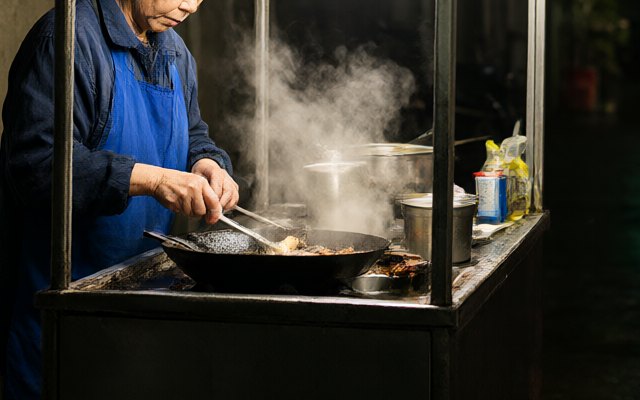
The neon signs use made-up Chinese characters. The prompt asked for blurred, unreadable signs, and at least you can't read them.
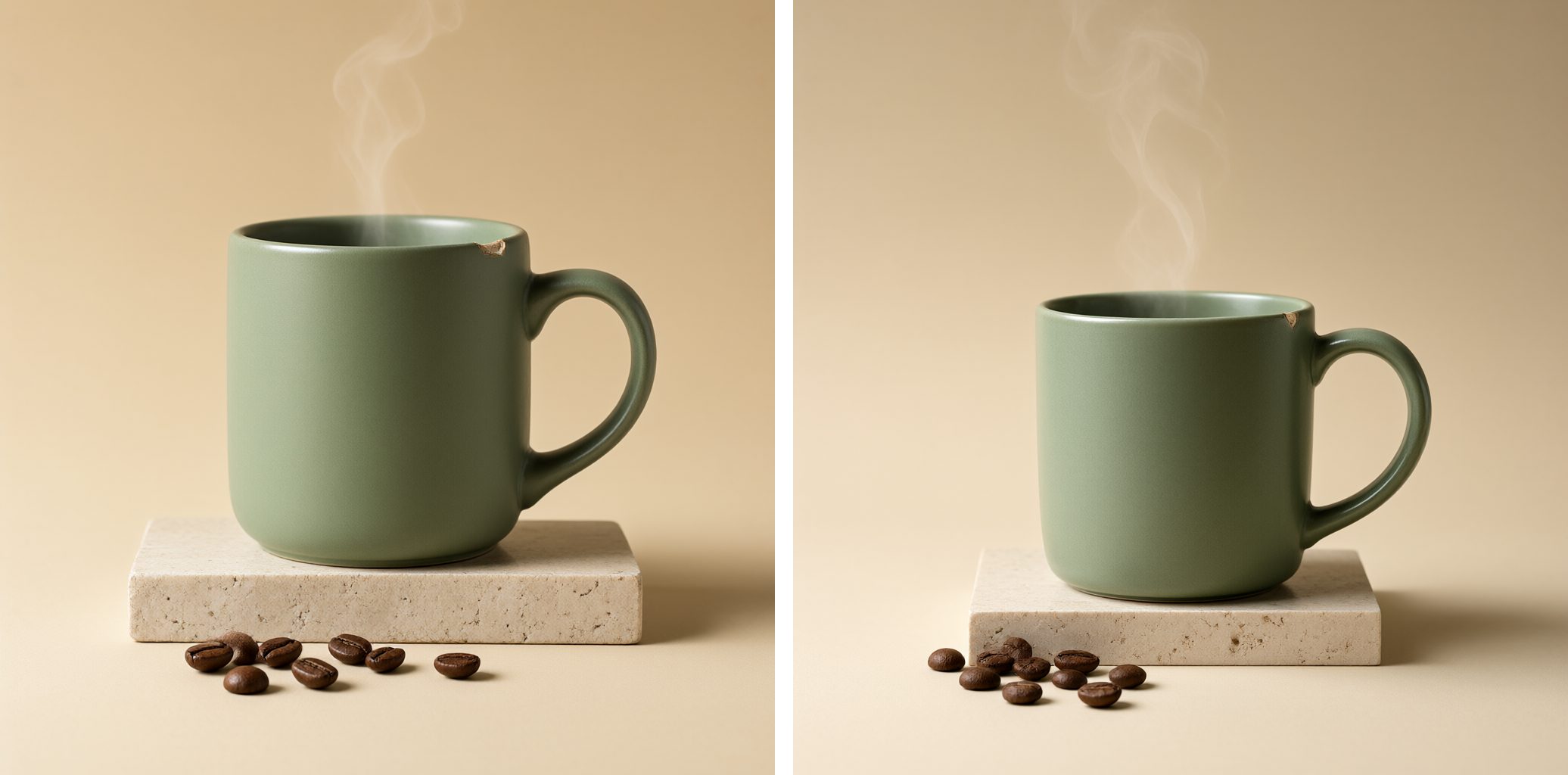
The product photo was the best result. A matte sage-green mug on travertine, with steam, coffee beans, soft light from the upper left and a small chip on the rim. Both renders got every one of those details, chip included.
Illustration and transparent PNGs
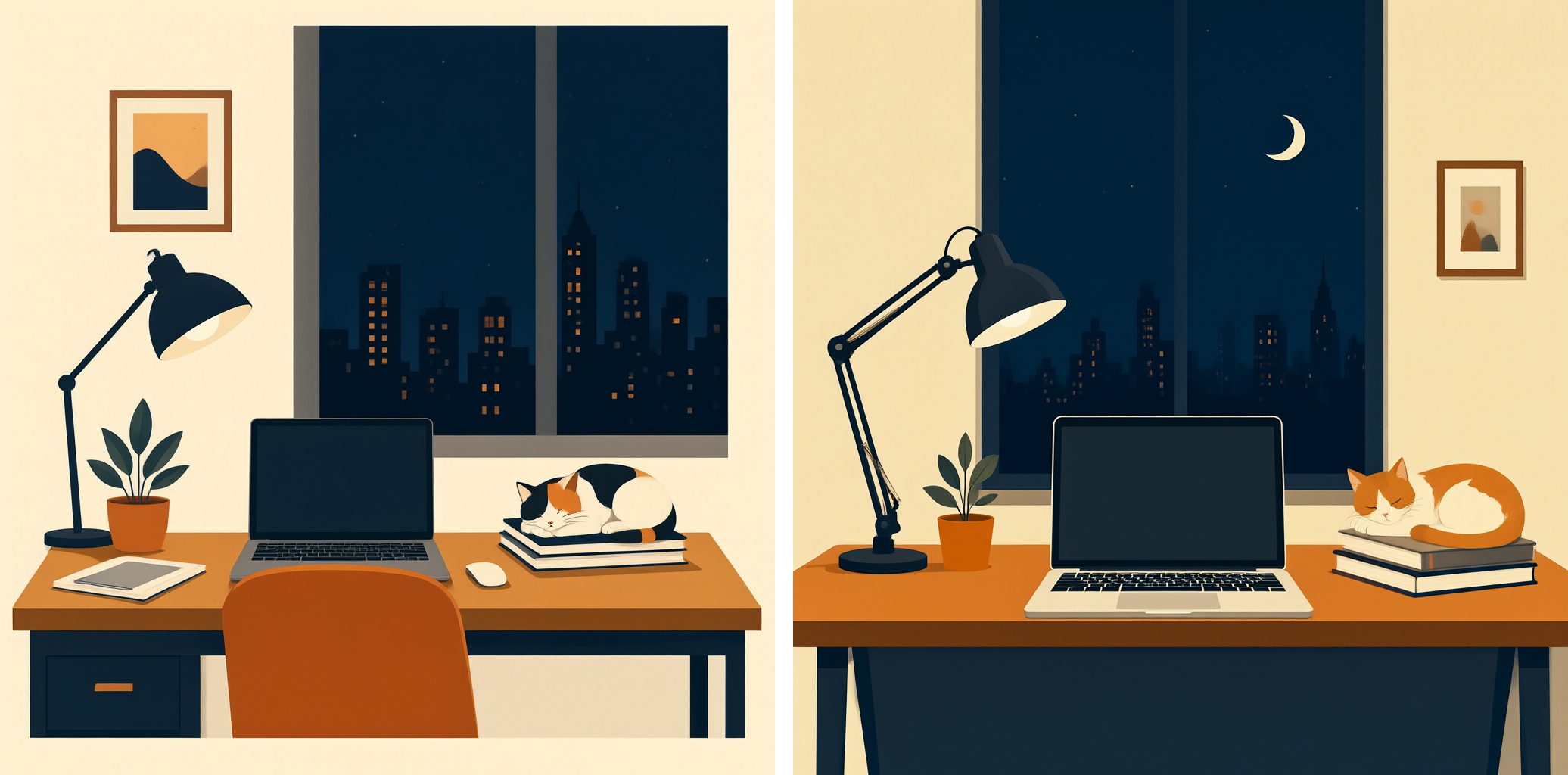
A desk by a window at night: laptop, lamp, plant, a cat asleep on books, the city outside, in navy, orange and cream. Everything from the prompt is there. The second render has a small lump on the lamp arm that I can't explain.
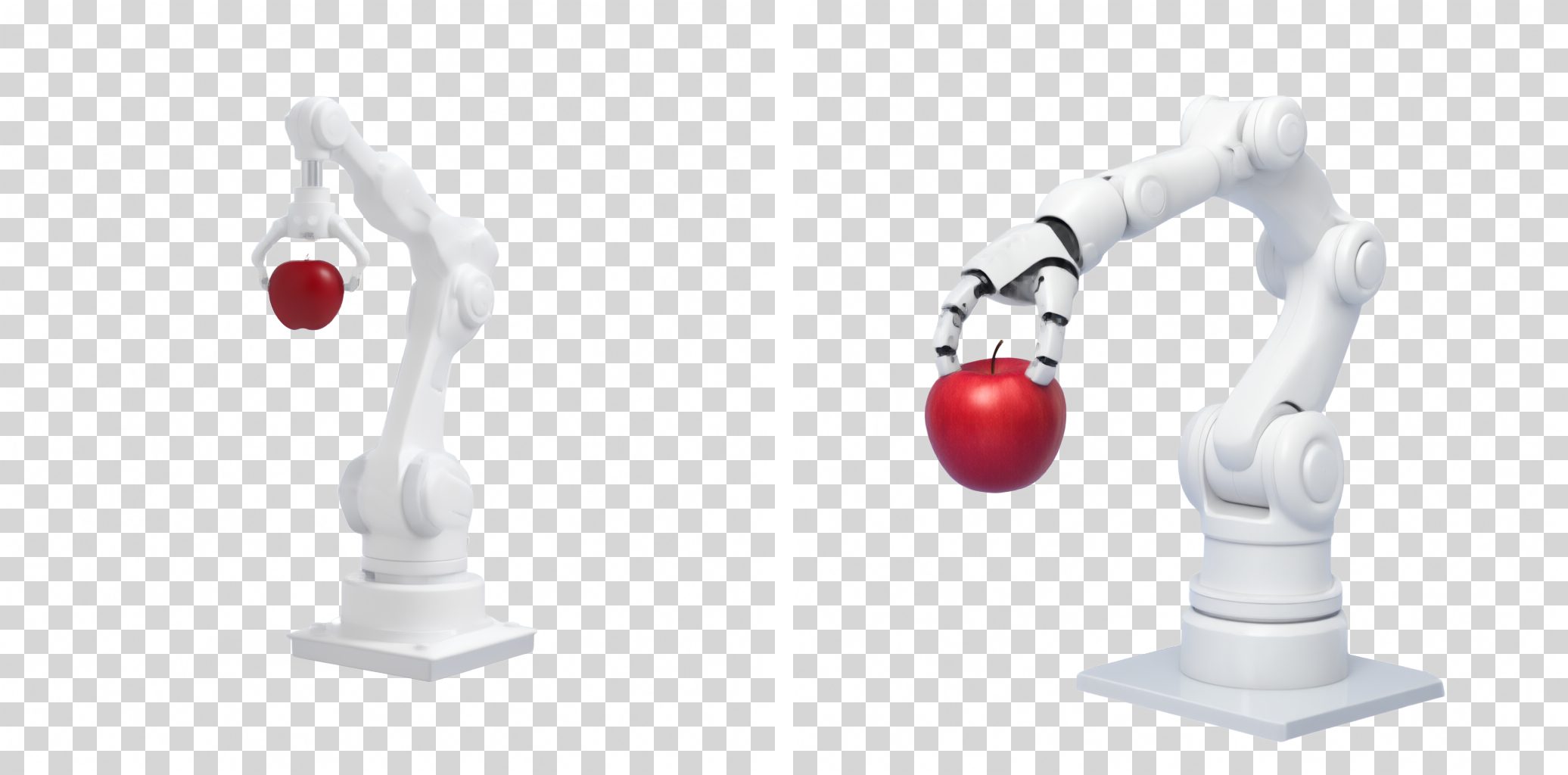
Qwen Image 2.1 can output PNGs with a real alpha channel if you wrap the prompt in a fixed phrase ("This is an RGBA format image with transparency…"). It works. Between 78% and 88% of the background pixels are fully transparent, and only about 1% are semi-transparent edge pixels, so there's no grey halo. The images above sit on a checkerboard so you can see it. The weak point is the content: in the second render, the robot hand's grip on the apple doesn't look natural.
Native 2K
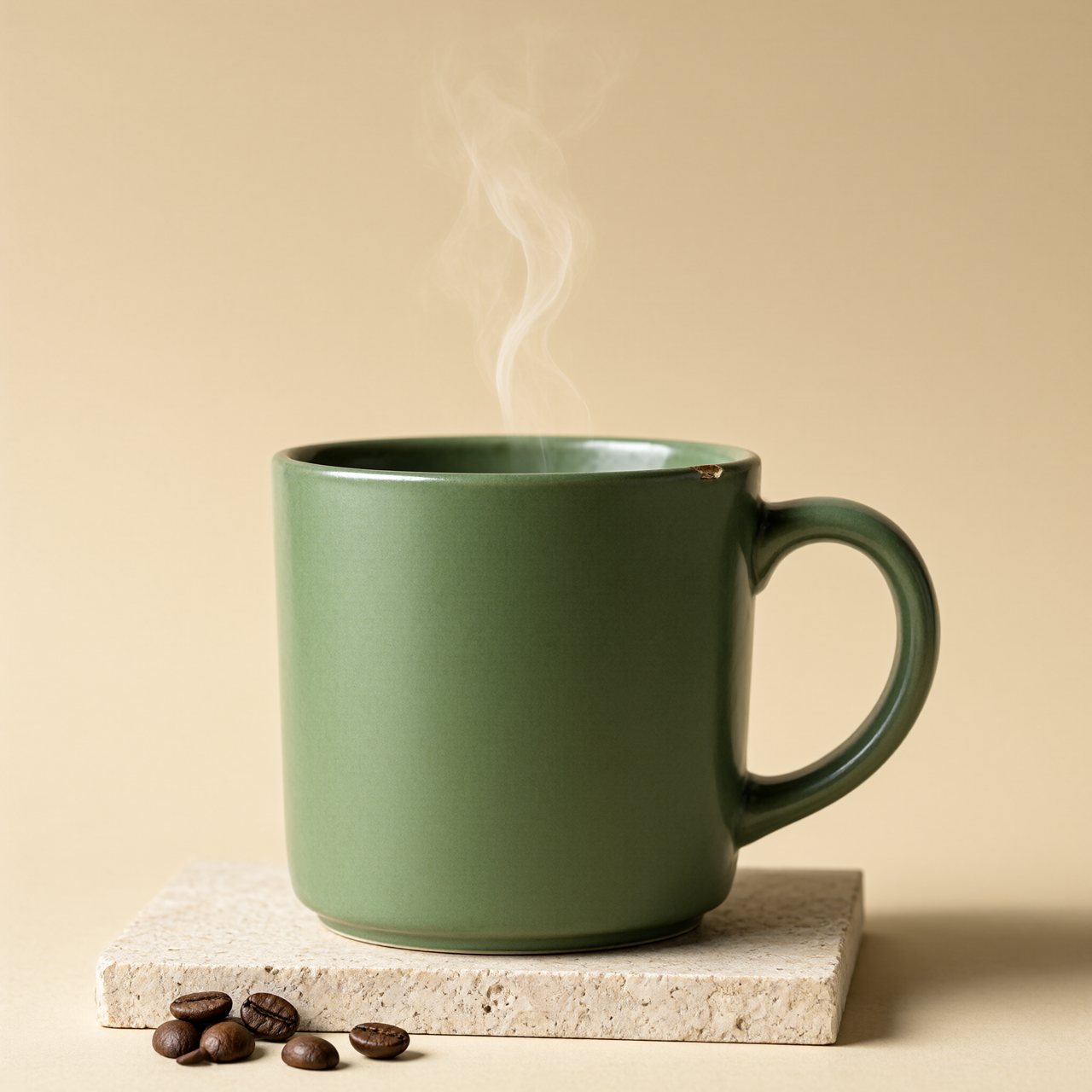
The model can render 2048×2048 directly, without upscaling. It took 246 seconds, about 5.5 times as long as a 1024 image for 4 times the pixels. The same seed at a different size gives a different composition, so this is a new image, not the 1024 one enlarged.
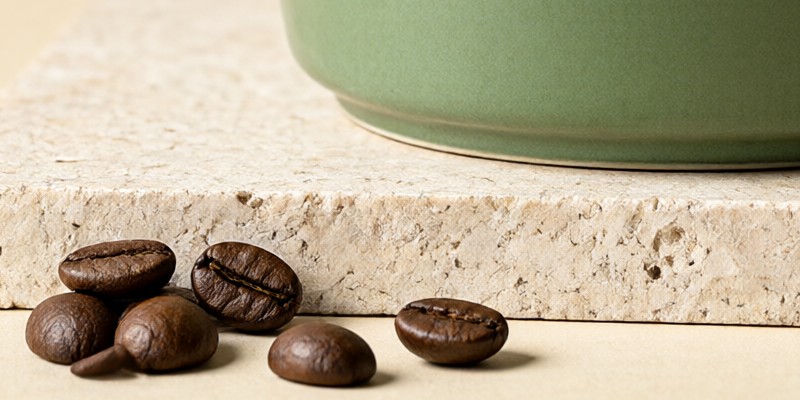
At 100%, the pores in the stone, the creases in the beans and the foot of the mug are all sharp. One bean on the left has an extra stub.
My take
- It's practical on a 48GB Mac. About 40 seconds per image is fast enough to iterate, and memory stays well under the limit.
- Product shots and posters are where it shines. Clean light, the specific details I asked for, and headlines spelled right.
- Text can be correct and still look fake. The menu was letter-perfect and still looked AI.
- Don't use it for charts. The infographic looks like a chart, but the bars don't follow the numbers. Draw real data with a charting tool.
- Check hands and small objects. The fingers were fine; the extra spoon wasn't.
Limitations
I only tested the Turbo model (8 steps), not the full model that runs 40 to 50 steps. Each prompt was rendered twice, and the 2K test once. The scores are mine, by eye. The prompts were all in English, the prompt enhancer was off, everything ran on one machine, and I didn't compare against a cloud model. Qwen Image 2.1 is released under the Qwen Research License, which only allows non-commercial use (research and evaluation), so read it before you use the model for anything commercial.
The prompts
All eight prompts
- Poster headline: Underground techno event poster: black background, a two-line headline in heavy white grotesque capitals where the first line reads "QWEN IMAGE" and the second line reads "2.1 TURBO", both lines the same very large size and each spanning the full poster width edge to edge, stacked tightly one above the other in the upper half, a scattered pile of overlapping black-and-white halftone portrait photos showing a mixed cast of different people, an elderly man, a young woman, a child and a bearded man among them, arranged in two loose rows across the lower half, every face is razor sharp, thin white grid lines, small fluorescent orange accent shapes, two-colour risograph print texture, square 1:1 poster format, spelling exactly correct letter by letter, no other readable words, no watermark
- Chalkboard menu: A photograph of a small cafe chalkboard menu leaning against a red brick wall, written in neat white chalk handwriting. The title at the top reads "TODAY'S MENU". Below it six lines read "Pour-over Coffee $5.50", "Matcha Latte $6.25", "Oat Flat White $5.75", "Earl Grey Tea $4.00", "Butter Croissant $3.75" and "Banana Bread $4.25". A small chalk drawing of a coffee cup in the lower right corner. Warm afternoon light, shallow depth of field, every word and price written exactly, no other text
- Infographic: A clean flat infographic card on an off-white background titled "Where My Week Went" in bold dark navy sans-serif at the top. Below it a horizontal bar chart with five labeled bars in this order: "Coding 22h", "Sleep 49h", "Gym 5h", "Reading 4h", "Commute 6h", each bar length proportional to its hours, bars in muted teal with the longest one in warm orange. In the lower right a small donut chart labeled "Focus 68%". A thin footer line reads "Week 43 - 2026". Generous margins, crisp vector style, every label spelled exactly, no other text
- Street photo: A candid night street photograph in a narrow alley in Taipei after rain: an elderly woman in a blue apron cooks at a small food stall under a string of warm bulbs, steam rising from a wok, wet pavement reflecting red and teal neon signs that are blurred and unreadable, a young man in a grey hoodie waits holding a paper bowl with both hands. 35mm documentary style, natural skin texture, slight film grain, no watermark
- Product photo: Studio product photograph of a matte sage-green ceramic coffee mug on a pale travertine stone block, a thin wisp of steam rising, a few roasted coffee beans scattered in front, soft diffused light from the upper left with a gentle shadow to the right, warm beige seamless background, crisp focus on the glaze texture and a small chip on the rim, no text, no logo
- Flat illustration: A flat vector illustration in a calm editorial style: a cozy desk by a window at night with a laptop, a desk lamp, a small potted plant, a cat sleeping on a stack of books, and a city skyline outside, limited palette of deep navy, warm orange and cream, clean geometric shapes, subtle paper grain, no text
- Transparent background: This is an RGBA format image with transparency. A small white six-axis robot arm holding a red apple, clean 3D render with soft studio lighting. The image has an alpha channel and a transparent background.
- Native 2K: the product photo prompt, at 2048×2048.
What's next
This episode used prompts picked to cover a range of image types. Next time I'll test it with prompts of my own.