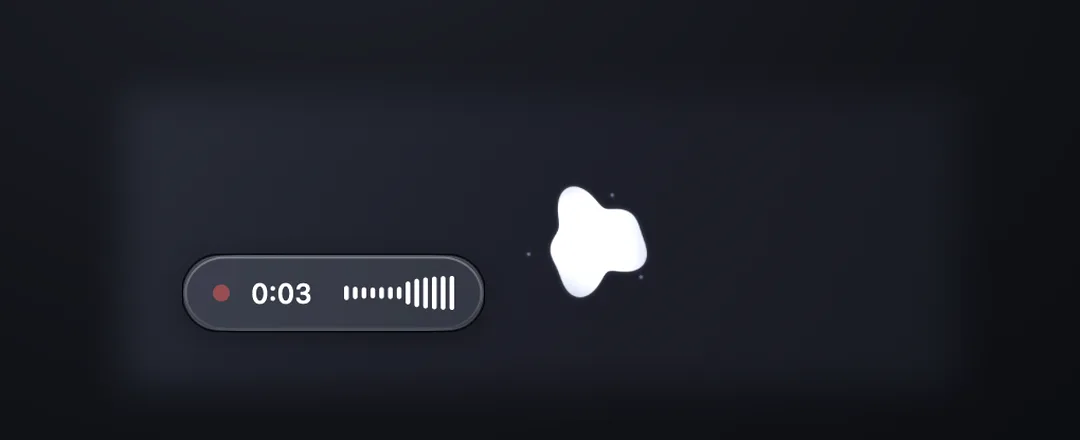
 CLICK IT. TALK.
Stops on its own when you pause.
Click the pearl and it melts into the orb. Stop talking for a second and a half and the take ends by itself. Prefer to click again? That is one toggle.
Free · On-device · No account
Hold a key and your words land at the cursor. Or click the buddy, read what you said, and drag it into any window. Speech recognition stays entirely on your machine.
Made by Billy Xu · Meet the developer ↗
Version 0.2.4 · 5.5 MB · macOS 13+ · Apple Silicon
Try the gesture
Ready · hold ⌥ to talk
Hold the key (mouse, finger, or the real Option key on your keyboard) and let go to drop the text at the cursor.
A simulation in your browser. Nothing is recorded; the real app runs on your Mac.
New in 0.2
Every voice-to-text tool drops your words wherever the cursor happens to be. Buddy mode holds what you said on screen instead. Read it, then drag it exactly where it belongs. Off by default; one switch in the menu bar.
CLICK IT. TALK.Click the pearl and it melts into the orb. Stop talking for a second and a half and the take ends by itself. Prefer to click again? That is one toggle.
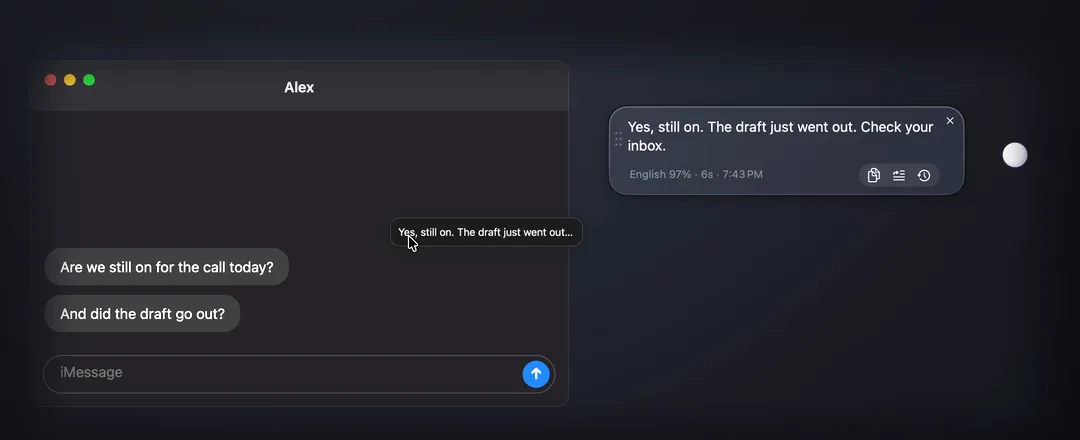 DRAG IT ANYWHERE.
The transcript lands in a glass bubble. Drag it into an editor, a chat box, a browser field, Terminal, even the Desktop. Nothing is typed for you unless you ask.
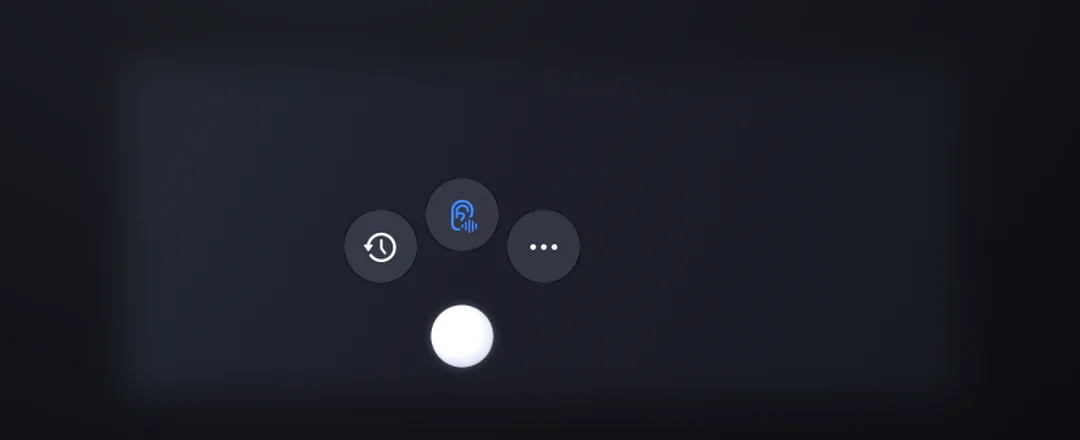 HOVER FOR THE REST.
Rest the mouse on the pearl and three buttons fan out. The last 50 takes are one hover away, kept in a file on your Mac and nowhere else.
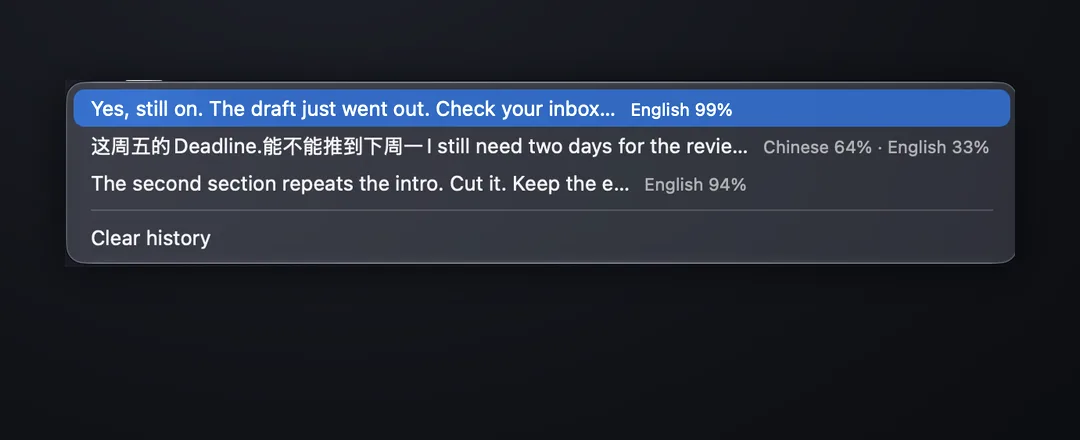 SEE WHAT IT HEARD.
Whisper picks one language per take. When a mixed sentence comes out in one of them, the line under it, English 59% · 中文 39%, is the reason. It stops hiding the guess.
Hotkey takes are unchanged: hold the key and the text still types into the focused app. Watch the full demo and the setup steps on the Learn page.
One key
The original gesture still works everywhere. There is no recorder window and no transcript to copy. PushSense works at the system level, then returns the text to the cursor you already placed.
Hold your push-to-talk key in any app. Right Option is the default; Right Command, Control, and Shift are selectable in the menu bar.
Whisper runs locally with Metal acceleration.
The transcript is typed at your cursor.
Why PushSense
PushSense keeps the short path from microphone to text on the Mac in front of you.
Use it in Mail, Notes, Slack, browsers, editors, and any other app with a text field. No plugins or app-specific integrations.
The selected Whisper model runs on-device. After model setup, speech recognition works without an internet connection.
Automatic language detection means you never stop to pick a mode — including mid-sentence switches. Chinese and English are tested today, and more languages are being verified one at a time.
A real sentence
“这个 feature 的 latency 有点高,我们 follow up 一下。”A real mixed-language sentence, transcribed in one pass.
Chinese + English verified · more languages in progressMeasured
These are measurements from one Apple Silicon machine and one 27.7-second mixed Chinese/English recording—not universal performance promises.
Peak RAM was 484 MB with the recommended model in the same test. Read the benchmark and methodology ↗
First run
PushSense is signed with Developer ID and notarized by Apple. The built-in setup guides you through the permissions macOS requires. Watch the demo and read the quick start on the Learn page; every menu item, permission and fix is in the user guide.
Open the disk image and drag PushSense into Applications.
Microphone captures speech; Input Monitoring sees the global hotkey; Accessibility types the result into other apps.
Download Small q5_1 (181 MB) for the current recommended balance of size and mixed-language accuracy.
FAQ
Yes. PushSense is free to download. There is no account, trial limit, or subscription.
No. Speech recognition runs on your Mac with whisper.cpp. The app downloads a model you choose, then transcription works offline.
PushSense 0.2.4 requires macOS 13 or later and an Apple Silicon Mac.
Yes. Right Option is the default, and the menu bar lets you switch to Right Command, Right Control, or Right Shift. PushSense uses a modifier you already have on the right side of the keyboard so it never collides with an app shortcut.
Accessibility permission lets PushSense send the finished text as keystrokes to the field that already has focus. It does not replace your clipboard.
The underlying Whisper models are multilingual and language detection is automatic, so you never pick a mode — including switching mid-sentence. Chinese and English are what I use daily and have tested; support for more languages is being verified and documented one at a time rather than claimed up front.
Small q5_1 is the current recommendation. It is a 181 MB download and offered the best size-to-accuracy balance in the published mixed-language test.
A small pearl that sits on your screen. Click it, talk, and the transcript waits in a glass bubble beside it instead of being typed anywhere. Drag the text into any window, or hover the bubble to copy or paste it. It is off by default; turn it on from the menu bar. The hotkey keeps working exactly as before.
Any window that accepts dropped text: editors, chat boxes, browser fields, Terminal, even the Desktop, where it becomes a text clipping. If a window refuses the drop, PushSense clicks where you released and pastes instead.
Each take is limited to five minutes in both hotkey and Buddy modes. At the limit, PushSense stops and transcribes automatically. Interrupted or unsaved takes remain as local WAV files under Recovered audio in the menu.
The last 50 takes live in a JSON file under Application Support on your Mac. Nothing is synced or uploaded. Hover the pearl or right-click it to open the list, and Clear history is at the bottom of every list.
Whisper decodes each take with one language. On a sentence that mixes two, it has to pick, and sometimes the whole sentence comes out in one of them. PushSense shows what the language detector heard so that when that happens, you know why.
An optional AI cleanup step for the transcript text. Use Local Ollama and nothing leaves your Mac, or your own OpenAI or Ollama Cloud API key. Audio never leaves your Mac either way. With Smart mode off, nothing is sent anywhere.
No. Smart mode is a list of auto-fix rules: fix spelling, fix grammar and punctuation, remove filler words. Every enabled rule applies to everything you dictate. You can add your own one-line rules and edit the filler-word list per language.
In the macOS Keychain, never in a plain file. Each provider keeps its own key and model, so you can set up OpenAI, Ollama Cloud, and Local Ollama and switch between them.